


Would you like to understand the different SMTP ports and which to use when configuring your emails? You’ve probably heard someone say, “Set your SMTP port to 465 or 587,” and might be wondering what the differences are.
Picking the wrong SMTP port is one of the quietest ways to break email. Your code looks fine, the send returns no errors, but the message never arrives. After setting up sending on dozens of WordPress sites, I see a blocked or mismatched port as the single most common cause.
In this guide, you’ll learn what each SMTP port does, which one to use, and how to fix a port that’s blocked. You’ll also see how to find and change your port in WordPress and common email clients.
TLDR: The four SMTP ports you’ll run into are 25, 465, 587, and 2525. For sending email from an app, a website, or an email client, use port 587 with STARTTLS encryption. It’s the modern default, and it works almost everywhere.
What is an SMTP port?
An SMTP port is the numbered channel your server uses to send email. SMTP stands for Simple Mail Transfer Protocol, the standard for moving email across the Internet. The port number tells the server which “door” to use for that traffic.
Think of an IP address as a building and the port as a specific door in it. Email submission uses one door, web traffic uses another. Using the right port matters because servers listen for email only on specific channels.
Each SMTP port also signals how the connection is secured. Some ports expect encryption to start on the first byte. Others start in plain text and upgrade. We’ll cover that difference below.

SMTP ports use TCP, not UDP. If you’re wondering whether SMTP ports are TCP or UDP, the answer is always TCP. This is because email delivery requires reliable, ordered transmission.
How do SMTP ports relate to sending vs. receiving email?
SMTP handles sending, not receiving. When your app hands an email to a mail server, that’s called submission. When one mail server passes the message to another, that’s called relay.
Receiving email uses different protocols and ports. IMAP uses port 993, and POP3 uses port 995. So if you’re pulling mail into an inbox, you’re not using an SMTP port at all.
The focus here is sending. That means ports 587, 465, 25, and 2525.
Which SMTP port should you use?
The most common SMTP ports are 587, 465, 25, and 2525, each with a specific role in sending email.
Use port 587 for almost everything. It’s the standard port for authenticated email submission, and it uses STARTTLS to encrypt the connection. Nearly every email client, app, and sending service supports it.
If your setup only supports SSL or the server blocks requests from port 587, use SMTP port number 465 instead. Save port 2525 as a fallback when both are unavailable. Avoid port 25 for submission, since providers block it heavily.

Here’s a quick comparison:
| Port | Encryption | Best for | Use it? |
|---|---|---|---|
| 587 | STARTTLS | Authenticated submission from apps and clients | Default choice |
| 465 | Implicit TLS (SSL) | Submission on SSL-only or legacy setups | If 587 is blocked |
| 25 | Usually none | Server-to-server relay between mail servers | Not for submission |
| 2525 | STARTTLS | Fallback when 587 is blocked | Fallback only |
What is port 587, and why is it the default?
Port 587 is the standard port for email submission, and it’s the one you should reach for first. SendLayer SMTP server uses it as well.
It was defined in RFC 6409 specifically for mail clients submitting messages to a server. That’s exactly what your app or plugin does.
Today, the SMTP default port number for email submission is 587, replacing the older use of port 25 for most applications.
The connection starts in plain text and upgrades to TLS before credentials are transmitted. Your username and password stay protected.
It also expects authentication. You have to log in with valid credentials, like an SMTP password for SendLayer or an app password for providers like Gmail, to send. That requirement is a big reason spam is harder to push through port 587.
Note: If you’re unsure which port to configure, start with 587. It’s the safest default for modern email sending.
What is port 465, and is it deprecated?
Port 465 is a submission port that uses implicit TLS, and it’s still perfectly usable today. The connection is encrypted from the very first byte, with no plain-text handshake. It’s sometimes called SMTPS.
Its history is messy. Port 465 was first assigned to SMTPS, then deprecated in favor of 587, and later formally reinstated for submission in RFC 8314.
Use port 465 when your client or host only supports SSL connections. Many providers, including SendLayer, support both 587 and 465. Pick whichever your software handles cleanly.
What is port 25 used for?
25 is one of the common SMTP port numbers used for relay between mail servers, not for submitting email from your app. When one mail server delivers a message to another server, it uses port 25. That’s its original and proper job.
The problem is spam. Attackers abused port 25 for years to blast unauthenticated mail. In response, most ISPs and cloud hosts now block outbound port 25 by default.
Don’t use port 25 to send from an application or client. Your connection will likely time out or get refused. Reserve it for the mail-transfer-agent traffic it was built for.
When comparing SMTP port 25 vs 587, the key difference is use case: port 25 is for server-to-server relay, while port 587 is designed for authenticated email submission from apps and clients.
Warning: Many hosting providers block port 25 completely and won’t unblock it. If your sends fail on port 25, switch to port 587 instead of filing a support ticket.
What’s the difference between STARTTLS and implicit TLS?
The difference is when encryption starts. STARTTLS begins in plain text, then upgrades the connection to TLS. Implicit TLS encrypts the connection from the first byte.
Both end up encrypted, so both are secure when set up correctly. Port 587 uses STARTTLS while port 465 uses implicit TLS.
Here’s the short comparison:
| STARTTLS (port 587) | Implicit TLS (port 465) | |
|---|---|---|
| Starts as | Plain text, then upgrades | Encrypted immediately |
| Also called | Explicit TLS | SMTPS |
| Common port | 587 | 465 |
| Fails safely if TLS is missing? | Depends on config | Yes |
Pro Tip: With STARTTLS, require encryption in your client settings. If a server doesn’t offer TLS, a strict setting stops the send instead of leaking your login in plain text.
How do you find and change your SMTP port?
You can change the SMTP port in your email settings or SMTP settings, depending on your plugin, app, or email client.
The exact location varies, but you’re always looking for a field labeled “Port” or “SMTP Port” next to the encryption setting. Change both together, since the port and encryption type must match.
WordPress
In WordPress, SMTP plugins expose these options directly in your SMTP settings, including the port, host, and encryption type.

This is particularly helpful if you’re using the Other SMTP mailer with SMTP plugins like Easy WP SMTP.
If you switch encryption to SSL, the port field updates to 465. Save your changes, then send a test email from the Email Test tab. A successful test confirms that the port and encryption are correct.
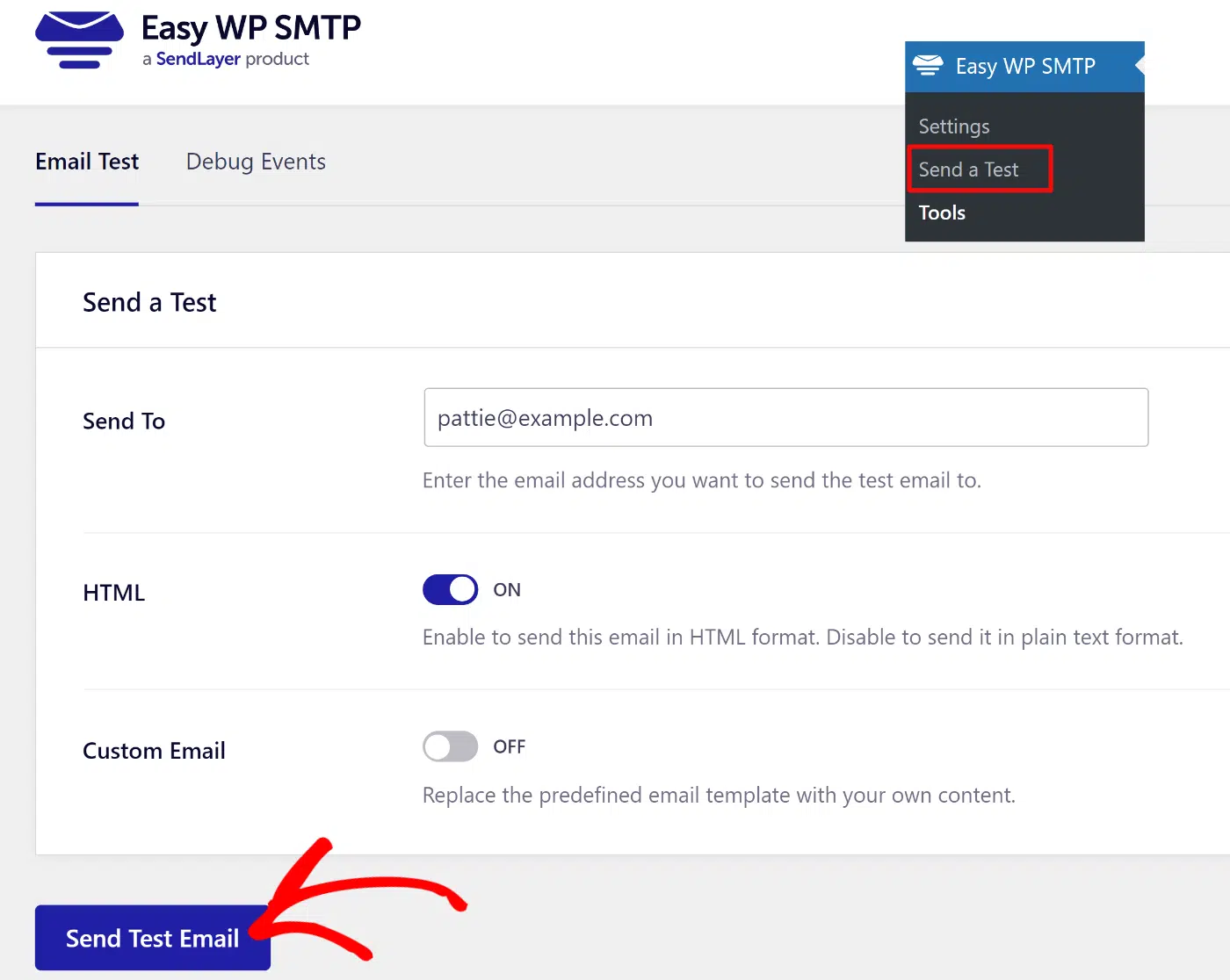
Note: For more information on configuring WordPress email SMTP settings, see Easy WP SMTP’s guide.
Common email clients and apps
In email clients and custom code, you set the port in your outgoing SMTP server settings. Look for the host, port, and encryption fields together. A typical SendLayer configuration looks like this:
Host:        smtp.sendlayer.net
Port:        587
Encryption:  STARTTLS (TLS)
Username:    $SENDLAYER_USER
Password:    $SENDLAYER_PASS
Keep your credentials in environment variables, not hardcoded in files. That prevents your username and password from leaking into version control or client-side code.
What should you do if port 25 or 587 is blocked?
If a port is blocked, switch to another submission port before anything else. Try 587 first, then 465, then 2525. If your WordPress site is still not sending emails, a blocked port is usually why.
First, confirm the port is actually blocked. Run this command to test whether the port is open:
# Test if the SMTP port accepts a TLS connection
openssl s_client -connect smtp.sendlayer.net:587 -starttls smtp
If the connection hangs or is refused, the port is blocked on your network. Switch your app or plugin to port 465 or 2525 and test again. If every port fails, your host is likely blocking outbound mail, and you should use an authenticated sending service over its supported ports.
Note: Blocked port 25 is normal and expected. You almost never need it, so don’t waste time trying to open it.
Which SMTP ports does SendLayer use?
SendLayer supports ports 587 and 465 for SMTP sending. Port 587 with TLS is the recommended setup, and 465 with SSL works when you need implicit TLS.
SendLayer is a transactional email service built for developers and website owners. It handles the SMTP connection, authentication, and domain setup so your email reaches the inbox. You can connect over SMTP or use the API.

For most sites, connect over SMTP on port 587. If you’re sending at a higher volume or want more control, the API is the better fit. See our developer documentation for more information on using the email API.
FAQs — Understanding SMTP port
Below, we’ve answered some of the top questions about SMTP ports.
Is SMTP port 25 or 587?
Use port 587 to send email from an app or client. Port 25 is for relay between mail servers, and providers block it for outbound submission. For anything you build or configure, 587 is the right choice.
What’s the difference between port 587 and 465?
Both submit email securely, but the encryption timing differs. Port 587 uses STARTTLS, which upgrades a plain-text connection to TLS. Port 465 uses implicit TLS, so it’s encrypted from the start. Use 587 by default and 465 when your setup needs SSL.
Is port 587 secure?
Yes, port 587 is secure when STARTTLS and authentication are enabled. The connection encrypts before your login is sent, and the server requires valid credentials. Set your client to require encryption for the strongest protection.
What is port 2525 used for?
Port 2525 is a fallback submission port for when 587 is blocked. It isn’t an official standard, but many services support it, including SendLayer. It works like 587 and supports STARTTLS.
What ports do IMAP and POP3 use?
IMAP uses port 993, and POP3 uses port 995. Both are for receiving email, not sending. They have nothing to do with your SMTP port.
That’s it! Now you understand how SMTP ports work and which port numbers are available.
Next, would you like to learn about the difference between different sending methods? Check out our tutorial on SMTP vs API for more information.
